Table of Contents
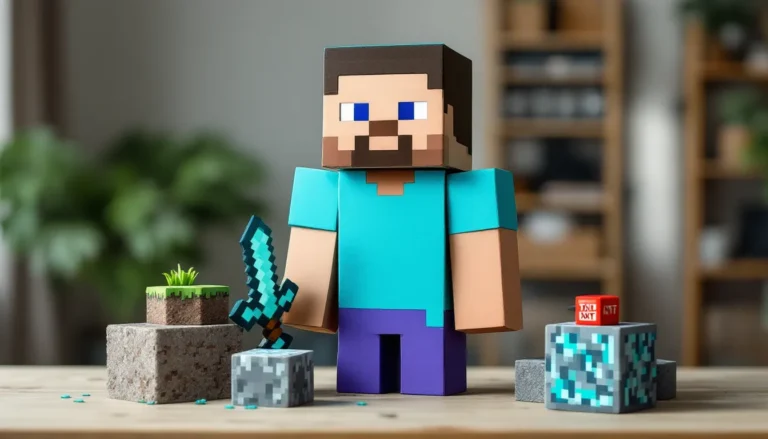
ToggleYour Minecraft character is more than a blocky avatar, it’s your identity in a world of infinite creativity. Whether you’re exploring modded servers, building massive structures, or just hanging out with friends, your skin is how players recognize you. The default Steve and Alex skins? They’re fine for your first night, but once you’ve spent hundreds of hours crafting, mining, and surviving, it’s time to stand out.
Cool Minecraft skins aren’t just about looking different. They’re about expressing your personality, matching your playstyle, or flexing a design that turns heads in lobbies. In 2026, the skin community has exploded with everything from hyper-detailed anime characters to minimalist aesthetic vibes, horror-themed nightmares, and everything in between.
This guide breaks down what makes a skin genuinely cool, showcases the best designs across multiple categories, and walks through exactly where to find, download, install, and even create your own custom skins for both Java and Bedrock editions.
Key Takeaways
- Cool Minecraft skins showcase design complexity through shading, layering, and pixel-perfect detail that transforms basic concepts into visually striking avatars.
- Top skin categories in 2026 include anime characters, fantasy creatures, superheroes, aesthetic styles, and horror designs—each offering unique ways to express your personality in-game.
- Find quality custom Minecraft skins on databases like NameMC, The Skindex, and Planet Minecraft, or commission unique designs from independent creators on platforms like Fiverr and Discord communities.
- Installing custom skins differs between Java and Bedrock editions, but both processes are straightforward: upload PNG files via Minecraft.net for Java, or through your Profile menu for Bedrock.
- Create your own Minecraft skin using free online editors like Nova Skin or Skindex, focusing on clear concepts, strategic shading with 3-4 color variations, and maximizing overlay layers for accessories.
- Current skin trends emphasize asymmetrical corruption designs, hyper-detailed textures, crossover mashups, and minimalist monochrome aesthetics that stand out in multiplayer environments.
What Makes a Minecraft Skin Cool?
Not every skin with flashy colors or random pixels qualifies as “cool.” The best skins share specific traits that separate them from the thousands of generic designs floating around skin databases.
Design Complexity and Detail
Minecraft’s 64×64 pixel canvas (or 64×32 for legacy formats) doesn’t leave much room for detail, which makes complexity a real achievement. Cool skins maximize every available pixel. Look for designs that use shading gradients to create depth, whether it’s muscle definition on a superhero skin, fabric folds on clothing, or facial features that don’t look like a smiley face.
The second and third layers (the overlay system in modern skins) are crucial. Skilled creators use these layers for accessories: hoods, hair that extends beyond the head, armor plating, or even particle effects rendered in pixels. A skin that intelligently uses all available layers will always look more dynamic than a flat design.
High-detail skins often incorporate subtle color transitions. Instead of solid red for a cape, the best designs use three or four shades of red to simulate lighting and texture. This level of attention transforms a basic concept into something that genuinely pops on-screen.
Originality and Creativity
The tenth generic “cool guy with hoodie” skin isn’t cool, it’s a copy of a copy. Original skins take familiar concepts and twist them. A zombie skin is common, but a half-corrupted player character transforming into a zombie? That’s creative.
Many of the standout designs in 2026 blend multiple themes. Cyberpunk samurai. Steampunk wizard. Space pirate. These mashups work because they’re unexpected. Players who spot you in a server won’t immediately place your skin into a boring category.
Creativity also shows up in how a skin interprets its subject. Two different creators making an “ice mage” skin will produce wildly different results. One might go full crystalline armor with frozen particle effects, while another creates a subtle design with frost creeping up the character’s limbs. The creative ones tell a visual story.
Personal Style and Expression
Eventually, a cool skin is one that fits your vibe. If you’re into competitive PvP, you might want something intimidating or sleek. Builders often prefer aesthetic or themed skins that match their architectural style. Roleplayers need skins that fit their character’s backstory.
The best skin choice isn’t always the most elaborate. Sometimes a minimalist design, clean lines, limited palette, focused concept, makes a stronger statement than a busy, over-designed alternative. Your skin should feel like an extension of how you play the game.
Top Cool Minecraft Skin Categories
Skin trends shift constantly, but certain categories consistently dominate downloads and community showcases. These are the most popular styles in 2026, each with distinct appeal.
Anime and Gaming Character Skins
Anime skins remain the single largest category in the Minecraft skin community. Characters from popular series like Demon Slayer, Jujutsu Kaisen, Chainsaw Man, and Attack on Titan get recreated with impressive accuracy even though the pixel limitations.
Gaming crossovers are equally massive. Players can find skins based on characters from Elden Ring, The Legend of Zelda: Tears of the Kingdom, Baldur’s Gate 3, Genshin Impact, and countless others. These skins let players bring their favorite protagonists into Minecraft’s blocky world.
The quality varies wildly. The best anime and gaming skins capture signature details, specific hairstyles, iconic outfits, recognizable color schemes, while adapting them to Minecraft’s proportions. Poorly made versions just slap a character’s face on a generic body and call it done.
Fantasy and Mythical Creature Skins
Dragons, elves, demons, angels, and other fantasy archetypes never go out of style. These skins appeal to roleplayers and fans of medieval/fantasy aesthetics.
Current trends favor hybrid designs: half-dragon transformations, corrupted angels with broken wings, or nature spirits with plant matter growing from their bodies. Pure creature skins (full dragon, skeleton warrior, etc.) work well for specific servers or themed builds.
Many fantasy skins incorporate particle-effect illusions through clever pixel placement, glowing eyes, magical auras, or elemental energy rendered in contrasting colors. When combined with shader packs, these details create genuinely striking visuals.
Superhero and Villain Skins
Marvel and DC skins dominate this category, but original superhero concepts are gaining ground. Players can become Spider-Man, Batman, Iron Man, or any Avenger, but custom heroes with unique powers and costumes offer more individuality.
Villain skins often look cooler than heroes due to more creative freedom with dark colors and menacing features. Designs inspired by Venom, the Joker, or various anime antagonists consistently rank among the most downloaded.
The challenge with superhero skins is balancing recognizability with Minecraft’s blocky anatomy. The best designs simplify costumes to their essential elements rather than cramming every comic book detail into 64 pixels.
Aesthetic and Modern Style Skins
The aesthetic category covers everything from soft pastel e-girl/e-boy skins to streetwear fashion, cottagecore vibes, and minimalist modern looks. These skins prioritize clean design and cohesive color palettes over complexity.
2026’s aesthetic trends lean into:
- Y2K revival: Bright colors, nostalgic 2000s fashion elements
- Dark academia: Turtlenecks, blazers, muted earth tones
- Cyberpunk casual: Neon accents, tech accessories, urban style
- Soft grunge: Oversized hoodies, ripped jeans, pastel hair
Aesthetic skins work exceptionally well for social servers, creative builds, and players who want their character to look stylish without being over-the-top.
Horror and Dark Theme Skins
Horror skins range from subtle creepy to full nightmare fuel. Popular subcategories include creepypasta characters, horror game icons, zombies with unique twists, ghosts, and original monster designs.
The most effective horror skins use contrast, bright white eyes on a dark background, blood splatters breaking up color blocks, or asymmetrical corruption spreading across the character model. Jump-scare skins (ones that look normal from the front but horrifying from behind) have become a niche trend.
Games like Five Nights at Freddy’s and various horror franchises inspire countless skin adaptations. These work particularly well on Halloween-themed servers or in adventure maps designed for scares.
Best Cool Minecraft Skins for Male Characters
Male-coded skins typically feature broader shoulders and different clothing styles, though the distinction matters less in Minecraft’s blocky world than in other games. Here are standout examples from each major category:
Combat and Warrior Skins:
- Samurai Warrior: Full armor with detailed plating, layered helmet, katana sheath across the back. Often includes clan symbols or battle damage.
- Dark Knight: Black armor with glowing accents, tattered cape using overlay layers, intimidating helmet design.
- Viking Raider: Fur-lined armor, braided beard details, axe strapped to the back, Nordic patterns.
Modern and Urban Styles:
- Cyberpunk Mercenary: Neon-accented jacket, tech implants visible on skin, futuristic visor, dystopian aesthetic.
- Streetwear Icon: Supreme/Off-White inspired designs, sneaker details, graphic hoodies, modern casual flex.
- Formal Assassin: Suit and tie with hidden weapons, sleek professional look with dangerous undertones.
Fantasy and Magic:
- Fire Mage: Robes with flame patterns, glowing hands, staff incorporated into design, ember effects in hair.
- Ice King: Crown of ice, frozen armor, blue and white gradient shading, crystalline details.
- Shadow Assassin: Dark cloak with purple/black color scheme, hidden face, daggers visible, stealth aesthetic.
Pop Culture Characters:
- Naruto Uzumaki: Orange jumpsuit, headband, blonde spiky hair, instantly recognizable.
- Link (TOTW): Green tunic, Master Sword and shield, blonde hair, adventurer aesthetic.
- Geralt of Rivia: White hair, witcher armor, two swords, scarred face details.
The most downloaded male skins in 2026 blend multiple elements, a cyberpunk samurai or a wizard in modern streetwear, rather than sticking to pure archetypes. Players who apply these custom character designs often customize them further to add personal touches.
Best Cool Minecraft Skins for Female Characters
Female-coded skins offer equally diverse options across all style categories, with some unique trends in hair design and clothing details.
Combat and Action:
- Cyberpunk Assassin: Neon hair, tactical gear, visor or mask, high-tech weapons integrated into design.
- Valkyrie Warrior: Winged helmet, armored dress/tunic, shield and spear details, Nordic aesthetic.
- Demon Hunter: Leather armor, dual weapons, scarred or tattooed details, determined expression.
Aesthetic and Modern:
- E-Girl Supreme: Split-dye hair, striped sleeves, chain accessories, platform shoes, bold makeup details.
- Cottagecore Dream: Floral dress, flower crown, soft pastels, nature-inspired accessories, peaceful vibe.
- Dark Academia Scholar: Blazer and skirt, turtleneck, books incorporated into design, muted sophisticated palette.
Fantasy and Magic:
- Galaxy Mage: Purple and blue cosmic patterns, stars in clothing, glowing effects, space aesthetic.
- Nature Spirit: Flowers growing from hair, leaf clothing, green and brown earth tones, druid vibe.
- Ice Queen: Elegant frozen gown, icicle crown, white and blue gradients, crystalline details.
Anime Inspirations:
- Nezuko (Demon Slayer): Pink kimono, bamboo mouthpiece, demon transformation details.
- Power (Chainsaw Man): Horns, unique hairstyle, signature outfit, instantly recognizable design.
- Zero Two (Darling in the FranXX): Pink hair, red horns, white outfit, distinctive appearance.
Horror and Dark:
- Corrupted Angel: Broken wings, cracked halo, white/black/gold palette, fallen aesthetic.
- Ghost Girl: Translucent effects using white and gray, floating hair, ethereal and unsettling.
- Vampire Queen: Elegant gothic dress, red accents, pale skin, fangs, regal horror aesthetic.
Female skins in 2026 show incredible variety in hair designs, using overlay layers to create complex styles that extend beyond the head model. Many incorporate accessories like headphones, glasses, or jewelry that add personality without overwhelming the design.
Gender-Neutral and Unique Cool Skins
The best gender-neutral skins work for any player preference and often push creative boundaries further than gendered designs.
Abstract and Artistic:
- Glitch Entity: Reality-breaking design with pixel corruption effects, static patterns, multicolored distortion.
- Void Walker: Pure black with constellation patterns, cosmic horror meets space explorer.
- Elemental Hybrid: Half fire/half water, split design showing opposing forces, creative use of color division.
Creature and Monster:
- Ender Dragon Hybrid: Purple and black scales, dragon features, end-themed aesthetic.
- Creeper Fusion: Half-player/half-creeper transformation, explosive personality.
- Warden Corruption: Sculk spreading across body, teal and black palette, Deep Dark inspiration.
Robotic and Mechanical:
- Android: Exposed circuitry, mechanical joints, LED eyes, sci-fi aesthetic.
- Steampunk Automaton: Bronze and copper colors, gears visible, Victorian-era robot design.
- Nanotech Suit: Sleek armor with microscopic detail patterns, futuristic protective gear.
Minimalist Concepts:
- Monochrome Mystery: Single color with white/black/gray shading, elegant simplicity.
- Geometric Pattern: Triangles, hexagons, or other shapes creating optical interest, modern art vibes.
- Silhouette Design: High contrast black figure with glowing accent points, mysterious presence.
These skins often stand out more in multiplayer environments because they’re less common than the standard character archetypes. Players looking to integrate their skin with enhanced gameplay modifications can find skins specifically designed to complement certain mod packs or shaders.
Where to Find and Download Cool Minecraft Skins
Finding quality skins means knowing where to look and how to filter through thousands of mediocre options.
Popular Skin Websites and Databases
NameMC remains the gold standard for Minecraft skins in 2026. The site hosts millions of skins with powerful search filters, trending pages, and user ratings. You can search by tags, colors, or keywords, and see how skins look on 3D previews before downloading.
The Skindex offers one of the largest collections with solid organization by category. The site supports both 64×64 HD skins and legacy formats, with built-in editors for quick customization.
Planet Minecraft combines skins with texture packs, mods, and builds. The community vetting system means higher-quality submissions rise to the top. The skin section includes detailed descriptions and often showcases skins in context.
MinecraftSkins.com provides straightforward browsing without account requirements. The tagging system makes finding specific styles quick, and download speeds are reliable.
Nova Skin doubles as both a database and editor. Users can browse thousands of submitted skins or use the integrated tools to modify existing designs.
Most databases support direct upload to Minecraft accounts for Java Edition players, streamlining the process. Bedrock players need to download files and import them through the game’s profile menu. Similar to how players find comprehensive modification collections, these databases organize content for easy discovery.
Community Creators and Custom Commissions
Independent skin creators on platforms like Fiverr, ArtStation, and Ko-fi offer commissioned work for players wanting completely unique designs. Prices typically range from $5-$30 depending on complexity.
Discord communities dedicated to Minecraft skins often host free request channels where talented creators take suggestions. Servers like “Minecraft Skins” and “Pixel Perfection” have thousands of members sharing and critiquing designs.
Reddit’s r/MinecraftSkins subreddit features both showcases and request threads. Creators frequently post their latest work, and the voting system helps quality content surface.
Twitter and Instagram artists who specialize in pixel art often create Minecraft skins as portfolio pieces. Searching hashtags like #MinecraftSkin, #MinecraftSkinArt, or #MCskin reveals talented creators, many of whom accept commissions.
When commissioning custom work, provide reference images, color preferences, and specific details you want included. The best results come from clear communication about your vision.
How to Install Custom Skins in Minecraft
The installation process differs between Java and Bedrock editions, but both are straightforward once you know the steps.
Installing Skins on Java Edition
Method 1: Official Minecraft Website (Recommended)
- Download your chosen skin file (PNG format, 64×64 pixels)
- Navigate to minecraft.net/profile and log in
- Click “Choose File” under the skin selection area
- Select your downloaded PNG file
- Choose between Classic or Slim model (Alex has slim arms, Steve has classic)
- Click “Upload” and wait for confirmation
- Launch Minecraft, your new skin appears immediately
Method 2: In-Game Launcher (Version 1.19+)
- Open the Minecraft Launcher
- Click “Skins” in the top menu
- Select “New Skin” and browse to your PNG file
- Name your skin and choose the model type
- Click “Add Skin” to save
Java Edition stores unlimited skins in your profile, letting you swap between favorites without re-uploading. Skins sync across devices as long as you’re logged into your Microsoft account.
Installing Skins on Bedrock Edition
For Windows 10/11, Xbox, PlayStation, and Mobile:
- Download the skin file (PNG format)
- Launch Minecraft Bedrock
- Go to Profile → Edit Character → Classic Skins tab
- Select “Owned” and then the “Choose New Skin” button
- Browse to your downloaded PNG file (on console, use the USB transfer method or cloud storage)
- The skin loads into the preview window
- Click “Confirm” to apply
For Nintendo Switch:
Switch doesn’t support custom PNG uploads directly. Players need to:
- Purchase skins from the in-game Marketplace, or
- Use workarounds involving parental control apps and file transfers (less reliable)
For Mobile (iOS/Android):
- Download skin to device storage
- Open Minecraft and navigate to Profile
- Tap “Edit Character” → “Classic Skins”
- Tap the hanger icon (+ symbol)
- Select “Choose New Skin” and browse to file location
- Apply and confirm
Bedrock Edition players on consoles sometimes struggle with file transfers. The easiest method involves downloading skins to a PC, signing into your Microsoft account via the official site, and uploading there, the skin syncs to all devices linked to your account. Players who enjoy customizing their experience with dragons can similarly personalize their appearance with these installation methods.
How to Create Your Own Cool Minecraft Skin
Creating a unique skin from scratch gives you complete creative control and guarantees nobody else has your exact design.
Using Online Skin Editors
Nova Skin Editor offers the most comprehensive free toolset:
- 3D preview with real-time updates as you edit
- Layer system for overlay management
- Pre-made templates and body parts to mix and match
- Color palette tools and gradient generators
- Direct upload to Minecraft account from the editor
The interface uses a grid-based pixel editor on one side and 3D model preview on the other, making it easy to see exactly how your changes affect the final appearance.
Skindex Editor provides similar functionality with a simpler interface:
- Intuitive drawing tools (pencil, fill, eyedropper, eraser)
- Reference gallery of popular skins for inspiration
- Symmetry mode for mirrored designs
- Export to PNG format
PMCSkin3D (by Planet Minecraft):
- Desktop application with advanced features
- Support for importing reference images
- Animation preview to see skin in motion
- Extensive brush and effect options
Similar to how players explore detailed building techniques, skin creation rewards patience and attention to detail. Resources like Nexus Mods also host skin editing tools and templates developed by the modding community.
Tips for Designing Eye-Catching Skins
Start with a clear concept. Vague ideas lead to messy results. Decide on a specific theme, character, or aesthetic before placing a single pixel.
Use reference images. If you’re creating an anime character or specific costume, have reference images open while working. Don’t copy pixel-for-pixel, adapt the design to Minecraft’s format.
Master shading techniques. The difference between flat, boring skins and dynamic ones is shading. Use at least 3-4 shades of each major color to create depth:
- Lightest shade for highlights (where light hits)
- Base color for main areas
- Dark shade for shadows and creases
- Darkest shade for deep shadows and outlines
Maximize overlay layers. The second skin layer creates 3D effects:
- Hair that extends beyond the head
- Hoods, hats, or helmets
- Accessories like bags, belts, or armor pieces
- Clothing details that float above the base layer
Keep it readable. Skins look small in-game. Designs that look perfect zoomed in can become muddy messes at normal viewing distance. Test your skin at various zoom levels.
Consider the model type. Alex (slim) and Steve (classic) models have different arm widths. Design for the correct model to avoid stretched or compressed textures.
Balance detail with clarity. Too many small details create visual noise. Focus intricate work on key areas (face, chest, main clothing elements) and keep extremities simpler.
Test in different environments. Your skin might look great in the editor but clash with certain biomes or lighting. Test it in actual gameplay before finalizing.
Study successful designs. Examine popular skins to understand what works. Notice how they handle specific challenges like rendering hair, clothing folds, or accessories within pixel limitations.
Creating skins uses the same creative problem-solving as understanding Minecraft’s building palette, working within constraints to achieve maximum impact.
Cool Minecraft Skin Trends in 2026
The Minecraft skin community evolves constantly, with new trends emerging from popular culture, game updates, and creative innovations.
Asymmetrical Corruption Designs have exploded in popularity. These skins show a character half-transformed by some force, one side normal, the other corrupted by Wither effects, Sculk infection, or elemental magic. The split creates visual drama and tells a story.
Hyper-Detailed Textures push the limits of 64×64 resolution. Creators are achieving photorealistic fabric textures, intricate armor engravings, and complex patterns that were impossible in earlier years. Some designs include micro-details visible only when zoomed in, rewarding close inspection.
Animated Skin Illusions use clever color placement to create the appearance of movement or particle effects when combined with shaders. While the skin itself is static, the design suggests energy, flames, or magic in motion.
Crossover Mashups blend multiple franchises or concepts. A Cyberpunk 2077 meets Elden Ring skin, or a Jujutsu Kaisen character in streetwear. These creative combinations stand out in a sea of straight character reproductions.
Minimalist Monochrome serves as a counterpoint to detail-heavy designs. Single-color skins with strategic white or black accents create striking silhouettes. The aesthetic feels modern and sophisticated.
Biome-Themed Skins tie directly to Minecraft’s world. Cherry blossom designs following the 1.20 update, Deep Dark-inspired Sculk characters, and Nether-themed corruption all connect player appearance to in-game environments.
Retro Gaming Callbacks reference older games with deliberate low-fi aesthetics. Skins inspired by PS1-era graphics, early pixel art games, or nostalgic gaming icons appeal to players who appreciate gaming history.
Transparent/Ghost Effects use very light colors and strategic shading to create semi-transparent appearances. These skins look genuinely spectral in-game, especially with certain shader packs.
Tech-Wear and Future Fashion reflect growing interest in cyberpunk and sci-fi aesthetics. Neon accents, holographic effects rendered in bright colors, and techwear-inspired outfits dominate modern skin categories.
Seasonal and Limited Concepts tie to real-world events. Holiday skins (Halloween horror, winter festive, summer beach) spike in downloads during relevant months, with creators releasing new interpretations annually.
Conclusion
Your Minecraft skin is more than cosmetic, it’s how you present yourself in one of gaming’s most creative spaces. Whether you download a pre-made design from community databases, commission a custom piece from a talented creator, or spend hours crafting your own pixel-perfect masterpiece, the right skin makes every login feel more personal.
The options in 2026 are genuinely limitless. From hyper-detailed anime characters to minimalist aesthetic vibes, horror nightmares to cyberpunk warriors, there’s a skin for every personality and playstyle. The tools are free, the process is straightforward, and the community constantly creates fresh designs.
Don’t settle for default Steve. Find something that feels like you, or better yet, create it yourself. Your blocky avatar deserves to look as cool as your builds.